Hello John,
The top menu background color can be modified via the UI configurations. The file you should be looking at is called "com.reltio.plugins.ui.json". You should add a property called "topBackgroundColor" as root element in the file. The property holds the value of the color you desire, i.e. #7D0B02 (works with Hex colors). Please find an image of this example below:
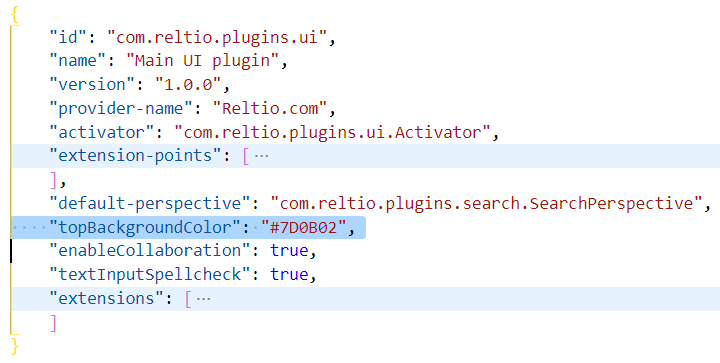
These UI configuration could now be modified by customers via the UI Modeler on the Reltio Console.
With regards,
Danail Iliev