Assuming the following:
- Entity named Individual
- Nested attribute under Individual named Phone
- Simple Boolean typed attribute under that named Primary Phone Flag
Then here are the steps to create the appropriate DVF:
- Navigate to the data modeler
- Select the Individual entity
- Select Validation Functions
- Select Create New
- Fill out the required fields. See the attached screenshot for details.
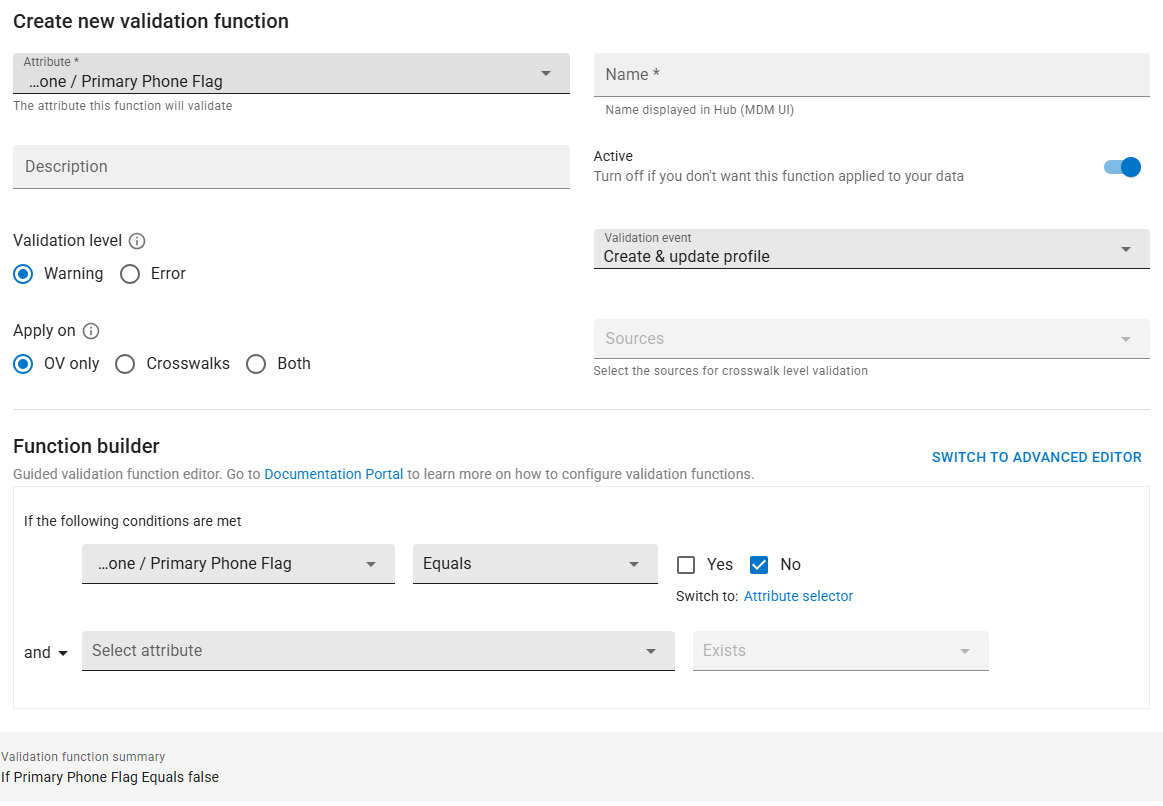
Note that if you just want a message, select "Warning". If you want to prevent data from being created with a Primary Phone Flag value of No, then select "Error".
------------------------------
Trevor Burn
Assent
------------------------------